
Play.co.za Registration Guide 2026
Register, activate your bonus, deposit, and unlock the Play.co.za welcome offer.
New Play.co.za customers can claim a 3-stage risk free deposit match worth up to R30,000, with up to R10,000 available on each qualifying deposit. The minimum deposit to claim is R100.
View Play.co.za GuideBetline may earn a commission if you register through links on this page, at no additional cost to you. Affiliate disclosure. T&Cs apply. 18+. Gamble responsibly.
Play.co.za is operated by Betflash (Pty) Ltd T/A Play.co.za. It is licensed by the Western Cape Gambling and Racing Board with Licence Number 10172287-012. Betting can be addictive, winners know when to stop.
Play.co.za Quick Facts
Play.co.za Registration Guide Contents
Getting started on Play.co.za is fast, with a single sign up page followed by a quick OTP step that confirms your mobile number before your account is live. This Play.co.za registration guide takes you through the full Play.co.za South Africa registration process, from your first entry on the form to FICA verification and your opening deposit, so you know what lies ahead before you get going.
Before You Start Your Play.co.za Registration
Pulling a few details together ahead of time keeps your Play.co.za signup running without hold-ups. The usual cause of a stalled form is information that is missing or does not line up with your documents, so work through the list below first.
Play.co.za Registration Requirements
- South African mobile number
An active South African mobile number is needed to register. This is where Play.co.za sends the OTP that confirms your account during sign up, so make sure it is a number you can reach straight away. - First and last name as they appear on your ID
Play.co.za asks for your first name and surname exactly as printed on your identity document. Because these details feed into FICA verification later, any difference between what you register with and your documents can slow things down. - RSA ID number or passport
Your South African ID number is required on the form. If you hold a passport rather than an ID, you will also need a South African bank account and a copy of your passport ready for verification. - Valid email address
A working email address is required at signup, and it doubles as a login option and the address used for password recovery, so pick an inbox you keep an eye on. - Age 18+
Only adults aged 18 and over may open a Play.co.za account. This age limit applies across all licensed South African betting sites. - A username
You will choose a username during registration. It becomes part of how you sign in, so go with something you are comfortable keeping. - Secure password
Set a password using the field on the form, with a show/hide toggle to check what you have typed before moving on.
Play.co.za Single Account Policy
As with all licensed South African betting sites, Play.co.za operates on a one-account-per-person basis. Registering more than once using the same identity, mobile number, or banking details can lead to accounts being restricted under the standard Play.co.za terms and conditions, so stick to a single account.
How to Complete Your Play.co.za Registration: Step-by-Step
Run through the steps below to register from beginning to end. The details sit on one page, followed by a short OTP confirmation, and the whole thing takes only a couple of minutes.
Step 1: Open the Play.co.za Registration Form
Go to play.co.za and click Register in the top right corner. A sign up overlay titled Register appears, ready for your details.
Step 2: Complete Registration Step 1
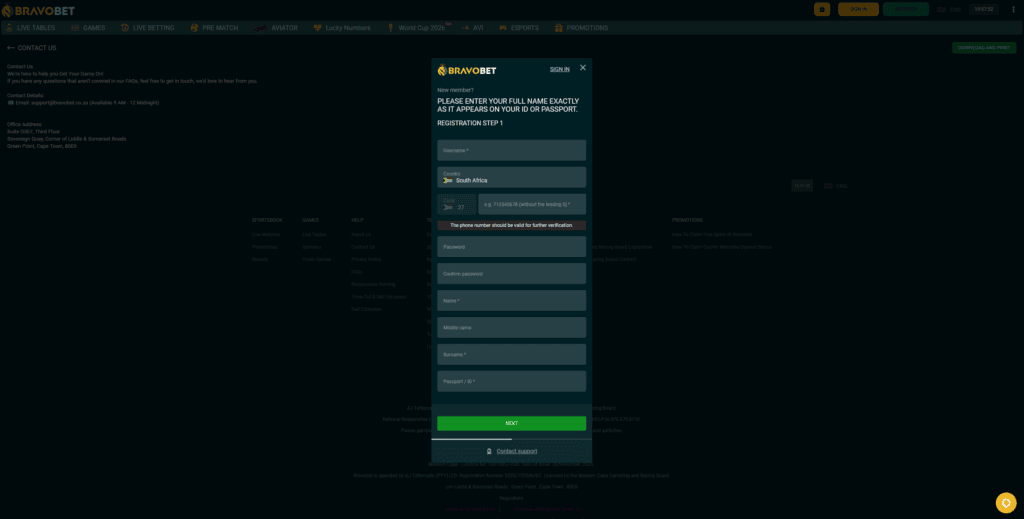
Fill in your first name, last name, mobile number, email address, RSA ID number, chosen username, and a password. Take a moment to check that your name and ID number match your document exactly, then click Next. A note on the form confirms that an OTP will be sent to your mobile number for the next step.
Step 3: Confirm Your Number with an OTP
Play.co.za texts a one-time pin to the mobile number you supplied. Enter this code on the following step to confirm the number belongs to you. If it takes longer than a minute or two to come through, wait briefly before requesting a fresh one.
Step 4: Complete Your Registration
Once your OTP is confirmed, finish the registration process. Your account activates immediately and is ready to use, with no obligation to deposit or place a bet before you are ready.
Play.co.za Login
With your account created, signing back in is simple. Click Sign In and enter your username or email address together with your password. Play.co.za also offers a quick passkey option, letting you sign in with fingerprint or face recognition on supported devices.
If your password slips your mind, select Forgot Password on the Sign In screen, choose to reset by email, and enter your email address to receive a one-time pin. Follow the instructions that arrive to set a new password. If you cannot recall your username, you can simply sign in using your registered email address in the Username field instead.
Should the self-service options not resolve things, the Play.co.za support team is reachable through live chat on the website, by email at support@play.co.za, or by phone on +27 87 138 6703.
Play.co.za Welcome Bonus
New customers who complete Play.co.za registration can claim up to R30,000 in Risk Free Deposit Match bonuses across their first three deposits, along with a sports free bet on the first deposit.
How the Welcome Bonus Is Structured
The offer runs across three separate deposits, each matched up to a maximum of R10,000 in bonus funds. The minimum deposit at every step is R100.
- First deposit: a 100% Risk Free Deposit Match up to R10,000, plus a 10% sports free bet up to R1,000. Maximum payout is capped at 5x the bonus, up to R50,000.
- Second deposit: a 75% Risk Free Deposit Match up to R10,000. Maximum payout is capped at 5x the bonus, up to R37,500.
- Third deposit: a 125% Risk Free Deposit Match up to R10,000. Maximum payout is capped at 5x the bonus, up to R62,500.
What Makes It Risk Free
The distinguishing feature of this offer is that your bonus funds and your real money are held in separate balances. When you start playing, you draw on the bonus funds first, and your real deposit stays untouched unless you choose to dip into it. The wagering requirement reflects this split: 29x on the bonus amount, but only 1x on your deposit. The most you can win from the bonus is 5x the bonus amount. You can cancel a bonus at any time, in which case you forfeit only the unused bonus funds while your real deposited money stays in your account, needing just a 1x wager to withdraw.
Claim Before You Deposit
This is the step to get right. Each Risk Free Deposit Match has to be activated on the bonuses page before you make the matching deposit of R100 or more. Activate after depositing, and the bonus may not attach to that deposit. The order to follow is:
- Register your Play.co.za account using the steps above.
- Sign in and open the Bonuses section.
- Activate the relevant deposit match bonus.
- Make your qualifying deposit of R100 or more.
- Repeat the activate-then-deposit routine for your second and third deposits.
Welcome Bonus Terms
Each bonus stays valid for 15 days after activation. The offer applies to selected reel games, live games, and crash games, and a list of excluded titles applies, so check the full bonus terms before you play. Full terms and conditions apply.
Play.co.za FICA Verification
Your Play.co.za registration takes only minutes, and you can deposit and claim your welcome bonus straight away. FICA verification, however, is required before any withdrawal can be paid out. Verification covers proof of identity and proof of your bank account.
Proof of Identity
Provide a clear, colour copy of your South African ID. If you registered with a passport, have a copy of your passport document ready instead.
Proof of Bank Account
You will also need proof of the bank account in your name. A bank statement in your name, dated within the last three months, satisfies this requirement.
You can upload your documents by logging in, clicking your name in the top right corner, selecting the pencil icon to edit your profile, and heading to the Documents tab. Alternatively, email clear, colour copies of your ID and proof of bank account to support@play.co.za.
How to Deposit on Play.co.za
Once your account is active, adding funds is quick. Log in, select the Wallet icon at the top of the screen, choose your deposit type, enter the amount you want to add, and click the purple Deposit button. If you are claiming the welcome bonus, activate it on the bonuses page first and keep your qualifying deposit at R100 or more. Play.co.za supports the following payment methods:
Deposits usually reflect in your balance within a few minutes.
How to Withdraw on Play.co.za
When you are ready to cash out, log in, select the Wallet icon, and click the Withdraw tab. Enter the amount you want to withdraw, choose the bank where your account is held, select your account type, and enter your account number and account holder details. Finish by clicking the purple Withdraw button.
Withdrawals are reviewed and processed by EFT between 9 AM and 9 PM on business days. Request yours before 9 PM for same-day payout; anything submitted after that is processed from 9 AM the next business day. Same-day withdrawals are not available on weekends and public holidays, and FICA verification must be complete before a withdrawal can be paid.
Play.co.za Registration Troubleshooting
If your Play.co.za registration runs into trouble, it usually falls into one of the areas below. Here is how to work through each.
Your Mobile Number Is Not Accepted
Enter your number in the local South African format, without spaces, dashes, or extra characters. If it is still rejected, it may already be tied to an existing Play.co.za account.
Your OTP Is Not Arriving
Confirm you have signal and that your phone is not set to silent or Do Not Disturb, then request the code again after a short wait. If the OTP still fails to arrive, your mobile number may have been captured incorrectly during registration, and Play.co.za support can assist once your identity is confirmed.
Your Password Is Not Accepted
Use the show/hide toggle on the form to confirm what you have entered, and make sure your password meets the requirements shown.
Your Username Is Not Available
Usernames need to be unique, so if yours is taken, try a variation. Choose one you are content to keep, as it forms part of your login.
Your ID Number Is Not Accepted
Recheck the number for typos or stray spaces. If rejection continues, it may already be linked to an existing account. If you registered with a passport, make sure you have a South African bank account and a copy of your passport available for verification.
Your FICA Documents Were Rejected
Rejections most often come down to images that are unclear or cropped, or a document not in your name. Resubmit a clear, colour copy of your ID and a current proof of bank account, either through the Documents tab in your profile or by email to support@play.co.za.
Your Bonus Is Not Showing
With the welcome bonus, activating after depositing is the usual cause. A minimum deposit of R100 within the last 24 hours is needed to activate a bonus, so confirm you activated the deposit match on the bonuses page before depositing, and that your deposit met the R100 minimum. If it all checks out and the bonus is still missing, contact Play.co.za support.
You Are Locked Out of Your Account
Use Forgot Password on the Sign In screen and follow the OTP steps sent to your email. If access is still not restored, email Play.co.za support at support@play.co.za.
A Game Keeps Freezing or Logging You Out
Make sure your internet connection is stable, then clear your browser cache and cookies and reload. Play.co.za recommends Google Chrome in incognito mode for the smoothest experience. If the problem persists, contact support.
You See a Currency Restriction Error
This appears when your detected currency does not match the platform’s local currency, and the usual culprit is a VPN. Disable your VPN and try again to clear it.
Your Withdrawal Is Delayed or Rejected
A common reason is outstanding FICA requirements. Make sure your ID and proof of bank account have been submitted and approved. If your documents are already approved and the withdrawal is still held up, contact Play.co.za support at support@play.co.za to investigate.
Play.co.za Registration Summary
Once you have worked through the form and confirmed your OTP, your Play.co.za registration is complete and your account is ready, with the full range of sports betting markets, reel games, live games, and crash games open to you right away. The OTP step adds a layer of security without taking much time, and start to finish the process is typically only a couple of minutes.
A couple of things reward early attention. First is FICA verification, which stands between your account and your first withdrawal, so uploading your ID and proof of bank account soon after registering keeps your first cash-out moving. Second is the activation order for the welcome bonus. Activate each deposit match on the bonuses page before you deposit, since activating afterward may mean the bonus does not count.
Worked through in sequence, the welcome bonus adds up to R30,000 in Risk Free Deposit Match funds across your first three deposits, with a sports free bet on top of the first. The risk free structure keeps your real money and bonus funds apart, so you play with the bonus first and stay in control of your deposit throughout. Full terms and conditions apply.
Play.co.za Registration FAQ
Play.co.za Registration FAQs
How long does Play.co.za registration take?
Only a couple of minutes in most cases. You complete a single sign up page covering your name, mobile number, email, RSA ID number, username, and password, then confirm an OTP sent to your phone before the account switches on.
Why does Play.co.za send an OTP during signup?
The OTP confirms that the mobile number you entered belongs to you. After filling in the registration form and clicking Next, you enter the one-time pin on the following step to complete your sign up.
What if I don’t receive my Play.co.za OTP?
Check that you have signal and that your phone is not on silent, then request the code again after a short wait. If it still does not arrive, your number may have been entered incorrectly, and Play.co.za support can help once your identity is confirmed.
Do I need to deposit or verify before I can use my account?
No. Registering does not require you to deposit or place a bet, and you can claim the welcome bonus on registration. FICA verification is only needed before your first withdrawal.
What documents do I need for Play.co.za FICA verification?
A clear, colour copy of your South African ID and proof of the bank account in your name. A bank statement in your name, dated within the last three months, is accepted.
How do I claim the Play.co.za welcome bonus?
Sign in, open the Bonuses section, and activate the relevant deposit match before making each deposit of R100 or more. Activation comes first, then the deposit, and you repeat this for all three of your first deposits.
What happens if I deposit before activating the bonus?
The bonus may not be applied to that deposit. Always activate the deposit match on the bonuses page first, then deposit.
What makes the Play.co.za welcome bonus “risk free”?
Your bonus funds and real money are kept in separate balances, and you play with the bonus first. Your real deposit is not risked on bonus play, and if you cancel a bonus, you lose only unused bonus funds while your deposit stays in your account.
What payment methods can I use on Play.co.za?
Play.co.za supports Ozow, Capitec Pay, EFT, Visa/Mastercard, 1Voucher, OTT Voucher, and EasyPay Voucher.
How do I log in to Play.co.za?
Click Sign In and enter your username or email address with your password, or use the quick passkey option with fingerprint or face recognition on supported devices. Forgot your password? Use Forgot Password to reset it via an OTP sent to your email.
When will my Play.co.za withdrawal be paid out?
Withdrawals are processed by EFT between 9 AM and 9 PM on business days. Request before 9 PM for same-day payout; later requests are processed from 9 AM the next business day. Same-day withdrawals are not available on weekends and public holidays, and FICA must be complete first.
18+ only. Winners know when to stop. Gamble responsibly.
PLAY.CO.ZA REGISTRATION GUIDE SOUTH AFRICA

Betline helps bettors understand promotions before signing up with any licensed sports betting site in South Africa.
This guide explains Play.co.za South Africa registration, including how to sign up, verify your account, deposit, and activate the welcome bonus.